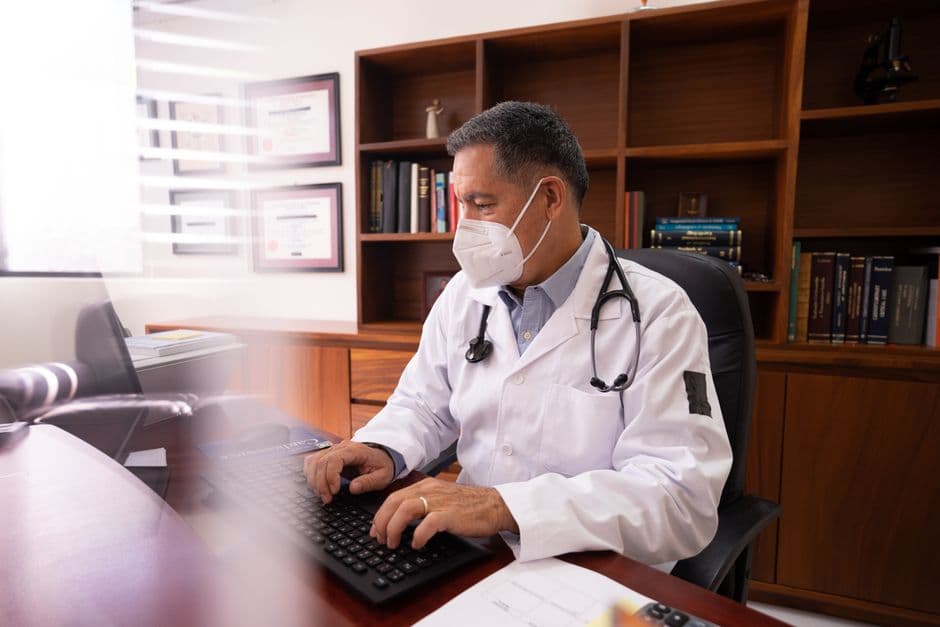
Dr. Ajay runs a general practice in Indore. Two rooms, one compounder, and about 35 patients a day. He has been practising for eighteen years. His "EMR" is a stack of card files — one per patient — arranged alphabetically in a wooden cabinet behind his desk.
When I suggested he try electronic medical records, he laughed. "Neha, I know every regular patient's history by memory. Why would I spend money on software?"
Six months later, he called me. A patient had come in with chest pain. Ajay remembered prescribing him something a year ago but could not find the card. Was it a statin? A beta-blocker? Did the patient have a sulfa allergy? He was not sure, and the patient could not remember either.
He prescribed conservatively, referred to a cardiologist, and the patient was fine. But it rattled him. "What if I had prescribed something that interacted with his old medication?" he said. "I would never have known."
That is the moment most small clinic doctors start taking EMR seriously. Not because of a sales pitch — because of a near-miss.
What EMR Means for a Small Clinic (No Enterprise Jargon)
Forget the hospital-grade EMR systems with twenty modules and enterprise pricing. For a small clinic, EMR is simply this:
A searchable digital record of every patient visit — what they came for, what you found, what you prescribed, and what you told them to do next.
That is it. You are replacing the card file with a computer or tablet. But that simple replacement unlocks things the card file never could:
- Instant search. Patient's name or phone number → complete history in two seconds. No digging through cabinets.
- Legible notes. Your own notes from two years ago, readable without deciphering your handwriting from a Tuesday evening rush.
- Drug history. Every medication you have prescribed, every dosage, every duration. Visible at a glance before you write the next prescription.
- Continuity across locations. If you practice at two locations, your patient records travel with you. The card file does not.
- Backup. Card files burn, get water-damaged, get eaten by termites. Digital records are backed up automatically.

The "But I Am Too Busy" Objection
This is the objection I hear most. "I see 40 patients a day. I do not have time to type notes into a computer."
Fair point. But here is the thing — you are already spending time on documentation. You are writing prescriptions by hand. You are writing notes (or trying to remember everything). You are flipping through old files.
Good EMR software designed for Indian clinics is not about typing paragraphs. It is about:
- Tapping a diagnosis from a dropdown — "URTI", "Acute Pharyngitis", "Viral Fever" — not typing it
- Selecting medicines from your favourites list — the same 20 prescriptions you write every day are one click away
- Auto-filling dosage and duration based on your usual patterns
- Voice notes for when you want to record something detailed without typing
A well-designed EMR adds about 15 to 30 seconds per consultation. It saves you 5 to 10 minutes at the end of the day in reduced paperwork. The net effect for most doctors is actually faster, not slower.
Features That Matter for Small Clinics
Must Have: Quick Prescription Generation
This is non-negotiable. If the prescription workflow is slow, nothing else matters. Look for:
- A personalised drug favourites list (your top 50 medicines, pre-loaded)
- Template prescriptions for common conditions (URTI template, Gastritis template, Fever template)
- One-click refill for chronic patients — pull up the last prescription and repeat it
- WhatsApp sharing — patients lose paper prescriptions. A WhatsApp PDF stays on their phone forever.
Must Have: Patient Search by Phone Number
In India, phone numbers are more reliable identifiers than names. "Suresh Sharma" might match five patients. "9876543210" matches exactly one. Your EMR should search by phone number first, name second.
Nice to Have: Appointment Reminders
Automated WhatsApp or SMS reminders reduce no-shows. But this is a "nice to have" for small clinics — most of your patients walk in or call to book. If you have a heavy appointment-based practice (dermatology, gynaecology), this becomes a "must have."
Nice to Have: Basic Reports
How many patients did you see this month? What are your top diagnoses? What is your revenue trend? Simple reports that take two minutes to check but give you a pulse on your practice health.
Do Not Need: Complex Lab Integration
Unless you have an in-house lab, skip this. Your patients get their tests done at external labs. You look at the reports they bring. You do not need software integration for that.
Do Not Need: Inventory Management
You are a clinic, not a pharmacy. Unless you dispense medicines from your clinic, this module is dead weight.
Choosing the Right EMR: My Checklist for Small Clinics
After helping about twenty small clinics go digital, here is what I check:
1. Does it work on a tablet? Many small clinic doctors do not have desk space for a computer. A tablet mounted on a stand, used during consultation, is the most practical setup.
2. Can it work offline? If your internet drops, can you still see patients? The answer must be yes.
3. Is the prescription fast? Time yourself during the demo. Complaint → diagnosis → prescription → print. If it takes more than 60 seconds for a routine case, the software is too slow for Indian clinic volumes.
4. What is the pricing model? Small clinics need affordable plans. Look for Rs 500 to Rs 2,000 per month. If a vendor quotes you Rs 5,000+ per month for a single-doctor setup, they are selling you enterprise software with a "small clinic" label.
5. Is there a trial? Any vendor confident in their product offers a free trial. Use it for a full week with real patients before committing.

The Data Privacy Question
Once your patient records are digital, you are responsible for protecting them. India's Digital Personal Data Protection (DPDP) Act applies to healthcare data. In practical terms:
- Patient data must be stored on secure servers (look for vendors using Indian data centres)
- Patients have the right to request their records
- You cannot share patient data with third parties without consent
- You need reasonable security measures — at minimum, password-protected access
This sounds intimidating, but any reputable EMR vendor handles server security and encryption. Your responsibility is mainly access control — make sure only you and your authorised staff can view patient records. Do not share login credentials. Use separate accounts for each user.
The Real Cost of Going Digital
| Item | Cost |
|---|---|
| EMR software (single doctor) | Rs 500 – Rs 2,000/month |
| Tablet (if needed) | Rs 15,000 – Rs 25,000 (one-time) |
| Receipt printer | Rs 3,000 – Rs 8,000 (one-time) |
| Staff training time | 2–3 days (your time, not money) |
| Total first-year cost | Rs 25,000 – Rs 55,000 |
Compare that with the cost of a single diagnostic error caused by a missing patient history. Or the revenue from ten patients you lost because they switched to the clinic down the road that WhatsApps prescriptions.
Making the Switch: A Realistic Week-by-Week Plan
Week 1: Set up the software. Enter your drug favourites list and prescription templates. This is the most important step — spend two hours on this.
Week 2: Use the EMR for new patients only. Existing patients stay on card files for now. This gives you practice without the pressure of looking up old records.
Week 3: Start entering returning patients when they visit. As each regular comes in, create their digital profile with basic history. You are building your digital database organically.
Week 4: Go fully digital for all patients. Keep the card cabinet for reference but stop writing new cards.
By Month 2: You will wonder how you ever practiced without it.
The Bottom Line
EMR for a small clinic is not about fancy technology or keeping up with trends. It is about being a better doctor — having the right information at the right moment, making fewer errors, and giving your patients a better experience.
Dr. Ajay switched six months after that near-miss. Last month, when I asked him how it was going, he said, "I found a drug allergy note I made two years ago on a patient I barely remembered. That single moment justified every rupee I have spent."
GoMeds AI Clinic Management Software includes a lightweight, fast EMR designed for the pace of Indian clinics — quick prescriptions, phone number search, offline mode, and WhatsApp sharing. Try it free and see if it fits your practice.
Dr. Neha Kapoor is a family medicine practitioner and healthcare digitisation advocate. She runs a GP practice in Indore and consults with small clinics on technology adoption.
Frequently Asked Questions
Related software
Ready to transform your healthcare business?
See how GoMeds AI can automate your operations, reduce costs, and improve patient outcomes with a personalized demo.
Tags
Written by Dr. Neha Kapoor
Published on 10 February 2026